You're left-handed. You bought a mouse the box called "ambidextrous," the reviews called "great for lefties" — and the second you used it, your thumb had nowhere to rest and the side buttons sat uselessly under your pinky.
Here's the quiet truth the marketing skips: ambidextrous doesn't mean ergonomic. It means compromised for both hands, which usually means comfortable for neither. Real left-handed mice exist — but there are only a handful, and knowing which ones actually fit your hand (instead of just being flipped) saves you a shelf of returns.
The short version
- Top pick (true lefty): Razer Naga Left-Handed Edition — an actual left-handed ergonomic shape with the thumb grid on the right; best if you want real support and lots of buttons.
- Budget true lefty: Razer DeathAdder Essential Left-Handed — a simpler, cheaper mouse built as a genuine left-handed shape, not a mirrored afterthought.
- Ambidextrous fallback: Logitech G Pro Wireless — if a true lefty is sold out or you want ultralight wireless; its removable both-side buttons mean you can actually reach the side buttons.
- Skip all this if: you've already adapted to right-handed mousing and it feels fine, or you fingertip-grip and never touch side buttons.
| Pick |
Best for |
What stands out |
Note |
| Razer Naga Left-Handed |
MMO / many buttons |
True left-hand shape + big thumb-button grid |
Wired, premium |
| DeathAdder Essential Left-Handed |
Budget, simple |
Real lefty ergonomic shape, no frills |
Wired, affordable |
| Logitech G Pro Wireless |
Ambidextrous fallback |
Removable both-side buttons, ultralight wireless |
Symmetrical, not ergonomic |
Why ambidextrous mice let lefties down
Owner reviews and southpaw gaming forums keep circling the same complaints, and they're mechanical, not just preference.
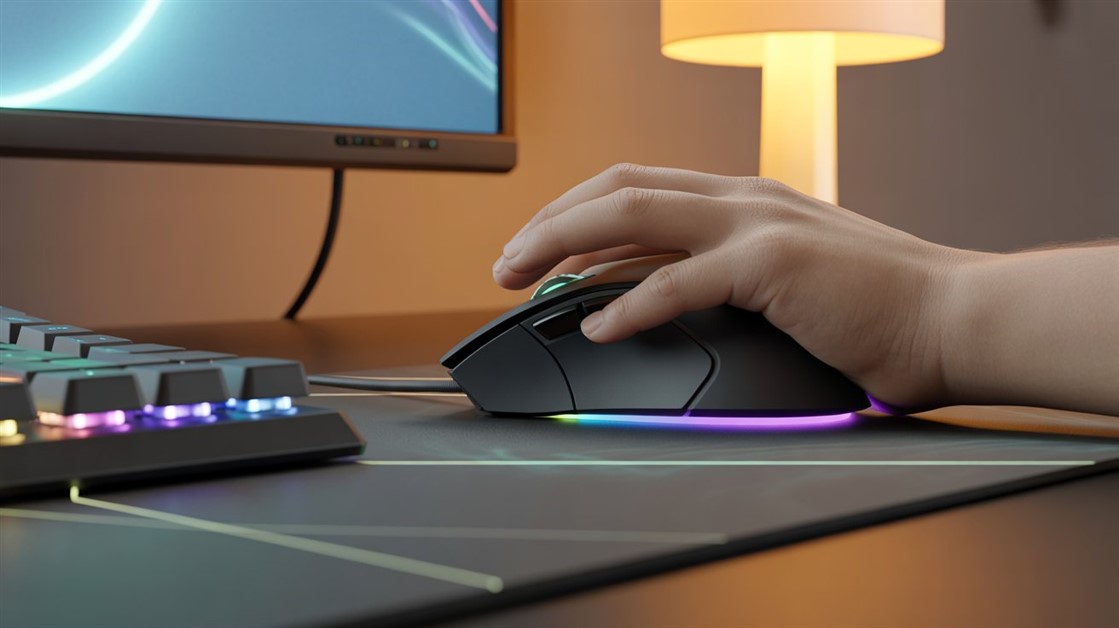
- Flat top, no palm support. Ambidextrous mice are symmetrical and flat so they can serve both hands. That's fine for a fingertip grip that barely touches the mouse — but if you palm-grip, your hand has nothing to rest on. Right-handed ergonomic mice get a raised inner side and a thumb rest; ambidextrous ones trade all of that away for "universal."
- Side buttons on the wrong side. Most put the side buttons on the left, where a right-hander's thumb lives. For you, that's your pinky — unreachable. The ones with buttons on both sides help, but then you're fighting accidental pinky-side presses mid-game.
- "Mirror" versions aren't true design. Flipping a right-handed mouse doesn't account for how a left hand actually grips, so button placement and balance end up subtly wrong. It's shoes on the wrong feet: technically fits, feels off.
A genuinely left-handed mouse puts the thumb rest and side buttons on the right, supports your ring and pinky on the left, and holds a natural grip angle without twisting your wrist. That's not a luxury — it's what right-handers get by default. And if wrist pain or numbness is a regular thing rather than a comfort quibble, that's worth a word with a professional, not just a new mouse.
The mice that actually fit a left hand
Razer Naga Left-Handed Edition — the true-lefty flagship
Best for: left-handed gamers who want real ergonomic support and a wall of programmable buttons (MMO, MOBA, lots of binds).
Skip if: you play mostly FPS where a big multi-button thumb grid is overkill, or you need wireless.
This is the one southpaws keep calling the only mouse that actually fits — a genuine left-handed ergonomic shell rather than a mirror, with the thumb-button grid on the right where your thumb lives and support for your ring finger on the left. Owner feedback keeps landing on the same relief: the hand finally rests naturally. The trade-offs are honest — it's premium, wired, and its MMO focus is more than an FPS player needs.
👉 Check Current Price → Razer Naga Left-Handed Edition
Razer DeathAdder Essential Left-Handed — the budget true lefty
Best for: lefties who just want a mouse built as a real left-handed shape without paying flagship money.
Skip if: you want lots of programmable buttons, the latest sensor, or wireless — this is a simple, older design.
It won't win a spec-sheet fight, and that's fine, because the whole point is the shape. It's one of the very few affordable mice engineered as a left-handed ergonomic body instead of a symmetrical compromise, so your palm and fingers land where they should. Think of it as the low-risk way to finally feel what a mouse that fits your hand is actually like.
👉 Check Current Price → Razer DeathAdder Essential Left-Handed
Logitech G Pro Wireless — the ambidextrous fallback that works
Best for: lefties who can't get a true lefty in stock, or who want ultralight wireless for fast FPS and can live with a symmetrical shape.
Skip if: you palm-grip and need real ergonomic support — a flat symmetrical body won't give it.
If you have to go ambidextrous, this is the one that respects lefties: the side buttons are removable and can sit on either side, so you can actually put them under your left thumb instead of your pinky — the single thing most ambidextrous mice get wrong. It's light and wireless; just don't expect palm support.
👉 Check Current Price → Logitech G Pro Wireless
Do you actually need a left-handed mouse?
You probably don't if you've adapted to right-handed mousing and it feels natural, you fingertip-grip with minimal palm contact, or you game casually in short bursts.
You probably do if you palm-grip and ambidextrous mice feel wrong, you get wrist ache or hand fatigue after an hour or two, you can't reach the side buttons on symmetrical mice, or you've simply never used a mouse that was built for your hand.
Left-handedness isn't the only way a mouse can fight your hand, either — if the size is the real issue, our guide to gaming mice that actually fit small hands tackles the other half of the fit problem.
FAQ
Are there any true left-handed gaming mice, or just ambidextrous ones?
There are a few genuinely left-handed ergonomic mice, but the list is short — Razer's left-handed Naga and DeathAdder shapes are the best-known. Almost everything else marketed for lefties is symmetrical or ambidextrous, which is a compromise, not a left-hand design.
Can a left-handed person just use an ambidextrous mouse?
You can, and many do — but "can use" isn't "fits." A symmetrical mouse gives no palm support and often puts the side buttons out of reach for a left thumb. If that's fine for your grip, great; if it isn't, a true lefty shape is a real upgrade.
Why are left-handed gaming mice so rare and expensive?
Manufacturers chase the bigger right-handed market, so left-handed runs are small, occasional, and sell out fast — which keeps prices up and stock unreliable. It's a supply problem, not a you problem.
What should I check before buying a left-handed mouse?
Confirm it's a genuine left-handed shape (not a "mirror" of a right-handed model), that the side buttons sit on the right for your thumb, and that it's actually in stock — true lefty mice come and go. Your grip matters too: palm-grippers gain the most from a real ergonomic shape.
You're not "picky" — you just want what right-handers get by default
Right-handed gamers pick from dozens of ergonomic mice with thumb rests, side buttons, and palm support shaped for their hand. Lefties get told to "just use an ambidextrous one." That's not fair, and it's not your fault the market overlooks a tenth of players.
If you've been telling yourself an ambidextrous mouse is "fine," try one built for your hand. Your palm rests naturally, the buttons sit where your thumb expects them, and the wrist twist disappears — the thing right-handers have quietly had for decades.
Disclosure: We may earn a small commission if you buy through our links — at no extra cost to you. This helps us keep researching gear for real humans like you.
What's your left-handed mouse story — did you find a true lefty that fit, or are you still fighting an ambidextrous compromise? Drop it in the comments; someone hunting for their first real left-handed mouse could use the tip.





Discussion
(0)Be the first to share your thoughts.