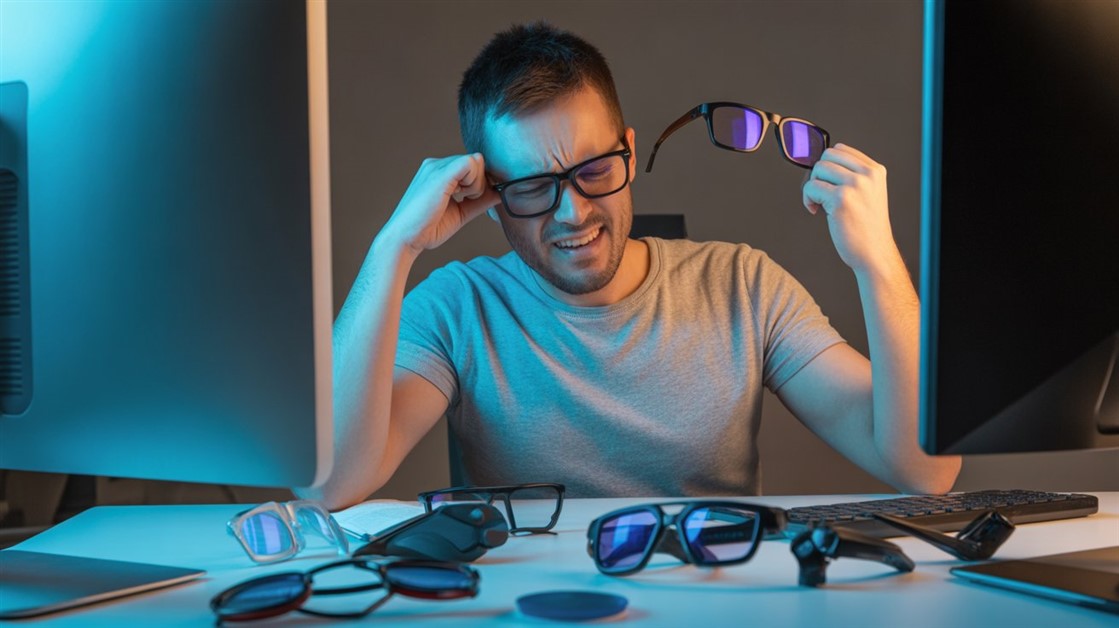
Two hours into a session, your head starts pounding. You dim the screen to help — and it gets worse. You've blamed dehydration, posture, caffeine, too much screen time. You bought blue light glasses and installed f.lux, and the headaches kept coming anyway.
Here's what almost no one tells you: the problem usually isn't blue light. It's invisible flicker — your monitor's backlight pulsing hundreds of times a second, fast enough that you can't consciously see it, but not fast enough that a sensitive brain ignores it.
The short version
- Top pick: LG 27GP850-B UltraGear — a genuinely flicker-free (DC-dimmed) high-refresh IPS panel; the safest all-rounder for most migraine-prone gamers.
- Budget: Dell S2722DC — a true flicker-free IPS for less, with USB-C; a modest refresh rate but headache-safe.
- High-end (with a caveat): ASUS ROG Swift OLED PG27AQDM — stunning, and safer than an OLED laptop, but OLED isn't truly flicker-free and a minority of sensitive people still react.
- Skip all this if: you game for hours with no headaches and have never noticed sensitivity to flickering lights — your current monitor is probably fine.
| Pick |
Best for |
Flicker approach |
Note |
| LG 27GP850-B |
Most migraine-prone gamers |
DC dimming, no PWM at any brightness |
High-refresh IPS, mid-price |
| Dell S2722DC |
Budget, laptop gamers |
True flicker-free IPS |
Modest refresh, USB-C |
| ASUS OLED PG27AQDM |
Premium visuals, not the very sensitive |
High-frequency PWM (not DC) |
OLED; some still react |
Why a gaming monitor gives you headaches
PWM flicker — the invisible part
Most monitors dim their backlight by flicking it on and off very fast rather than smoothly lowering the power — a trick called PWM (pulse-width modulation). At lower brightness the "off" stretches get longer, so there's more flicker. You don't see it consciously, but a sensitive visual system keeps working to smooth the pulsing light back together, and that effort shows up as a headache, eye strain, or nausea.
The slower the flicker, the more likely it bothers you — there's an actual engineering standard for what counts as safe versus risky flicker. The fix that sidesteps it entirely is DC dimming, which lowers brightness smoothly with no pulsing. That's what "flicker-free" should mean.
One honest note before going further: this is general information, not medical advice. Flicker is a well-documented trigger for headaches and eye strain in people who are sensitive to it, but a persistent or severe migraine problem is worth taking to a doctor — a monitor is one factor to rule out, not a diagnosis.
Low brightness makes it worse
Here's the cruel twist behind "I dimmed the screen and the headache got worse": plenty of monitors labeled flicker-free only use smooth dimming at higher brightness, then quietly switch to PWM once you drop below roughly a third. Night gaming at a low brightness is exactly when the flicker peaks.
Unstable frame rates pile on
A frame rate lurching up and down strains the visual system too — not from motion blur, but from inconsistent timing your brain has to keep re-syncing to. G-Sync and FreeSync smooth that out, but if the panel itself flickers, you're stacking two problems on top of each other.
How to tell if your monitor flickers
Two quick tests, no tools required:
- Phone camera: drop your monitor to a low brightness, open your camera (manual mode with a fast shutter if you have it), and point it at a white screen. Dark bands rolling across the image mean PWM flicker; a clean image means it's flicker-free (or flickering too fast to matter).
- Pencil wave: show a white screen at low brightness and wave a pencil quickly in front of it. Several ghost pencils means flicker; one smooth blur means flicker-free.
The monitors that won't pulse at you
LG 27GP850-B UltraGear — the safest all-rounder
Best for: migraine-prone gamers who want a high refresh rate and a guaranteed flicker-free panel.
Skip if: you want OLED-level contrast, or you need the cheapest option and can live with a lower refresh rate.
This is the one that comes up again and again from people who finally game headache-free. It uses DC dimming at every brightness level — no PWM even at the bottom of the dial — on a fast IPS panel that tends to be easier on the eyes than a lot of VA screens. Owner reports keep landing on the same line: long sessions without the usual head pressure. It costs more than a basic monitor, but it's the low-risk choice.
👉 Check Current Price → LG 27GP850-B UltraGear Gaming Monitor
Dell S2722DC — the budget flicker-free pick
Best for: budget-conscious or laptop gamers who care more about no headaches than a top-tier refresh rate.
Skip if: you play competitive FPS where a high refresh rate genuinely matters.
It isn't sold as a gaming monitor, and that's fine — it's a true flicker-free IPS panel for noticeably less, and the single-cable USB-C connection is a real bonus for laptop players. The refresh rate is modest, so it's happiest with single-player and slower games, but for headache prevention on a budget it does the part that matters.
👉 Check Current Price → Dell S2722DC 27" QHD Monitor
ASUS ROG Swift OLED PG27AQDM — gorgeous, with an honest warning
Best for: people who want premium OLED visuals and aren't at the extreme end of flicker sensitivity.
Skip if: you're highly PWM-sensitive — OLED isn't truly flicker-free, and a flicker-free IPS is the safer bet.
The picture is spectacular, and it's genuinely safer than the OLED laptops that give sensitive people trouble, because its flicker runs far faster. But be clear-eyed: OLED still pulses, just quickly, and a real minority of sensitive users report eye pain after a couple of hours anyway. If migraines are the whole reason you're shopping, the IPS picks above are the safer call — this is the "I want OLED and I'll accept the risk" option, not the guaranteed-safe one.
👉 Check Current Price → ASUS ROG Swift OLED PG27AQDM Gaming Monitor
If you can't replace the monitor yet
- Cap your frame rate to your monitor's refresh rate and turn on G-Sync or FreeSync — steadier timing means less visual-system strain.
- Keep brightness up. If your monitor only flickers below about a third brightness, staying above that avoids the PWM zone; add a light strip behind the monitor if the screen then feels too bright.
- Add bias lighting. A bright screen in a dark room forces your pupils to keep adjusting; a soft light behind the monitor evens that out and eases the strain.
And don't underestimate simply looking away on a schedule — regular screen breaks ease the eye strain that flicker piles onto. If you never actually remember to stop, our guide to break reminders that actually make you stop covers that side of it.
Why monitors don't advertise this
PWM dimming is simply cheaper to build than DC dimming, which needs more careful circuitry and quality control. Since only a minority of people are flicker-sensitive, plenty of manufacturers use PWM, put a "low blue light" sticker on the box, and call it eye care — while the sensitive minority quietly suffer, blame themselves, and buy glasses that don't touch the real problem.
Do you actually need a flicker-free monitor?
You probably don't if you game for long stretches without headaches, your current screen never causes eye strain, and you've never noticed sensitivity to flickering lights.
You probably do if headaches show up an hour or two in, dimming the screen makes them worse, the phone-camera test shows bands, blue light glasses and f.lux did nothing, or fluorescent and LED bulbs already bother you.
FAQ
Is it really flicker and not blue light causing my headaches?
For a lot of sensitive people, yes. Blue light glasses and f.lux change color temperature, not flicker — so if you've tried both and still get headaches, an invisible pulsing backlight is the more likely culprit. The phone-camera test settles it quickly.
Are OLED monitors flicker-free and migraine-safe?
Not fully. OLED still uses PWM, just at a much faster rate than a cheap laptop panel, which is why a good OLED monitor bothers far fewer people than an OLED laptop. But "fewer" isn't "none" — if you're very sensitive, a true flicker-free IPS is the safer choice.
Does a higher refresh rate mean less flicker?
Not directly. Refresh rate is how often the image updates; PWM flicker is a separate thing about how the backlight dims. A high-refresh monitor can still flicker badly, and a modest one can be perfectly flicker-free — look specifically for "flicker-free" or "DC dimming," not just a big refresh number.
Can I make a flickering monitor I already own more comfortable?
Somewhat. Keeping brightness above the PWM threshold, capping your frame rate, and adding bias lighting all help, and they're free to try tonight. They don't fully fix a low-frequency PWM panel, but they can take the edge off until you replace it.
You're not weak — your monitor is flickering
You bought a monitor with an "eye care" sticker on the box and still got a splitting headache two hours in, then blamed yourself: bad posture, not enough water, too much screen time. It usually isn't you. It's a backlight pulsing hundreds of times a second, and a brain that notices what your eyes can't.
Flicker-free monitors exist, they cost about the same as the ones that pulse, and the difference for a sensitive person is immediate. Look for "flicker-free" or "DC dimming," lean toward IPS if you're very sensitive, and test with your phone camera before you commit. Your headaches aren't a character flaw — they're a response to flicker you were never supposed to have to see.
Disclosure: We may earn a small commission if you buy through our links — at no extra cost to you. This helps us keep researching gear for real humans like you.
What finally tipped you off that the monitor was the problem — the phone-camera test, the dimming making it worse, or just switching screens and the headaches stopping? Share it in the comments; someone still blaming themselves could use it.





Discussion
(0)Be the first to share your thoughts.