You Opened Reddit for "5 Minutes"… It's Been 3 Hours
"Just one more post."
"Okay, this is the last one."
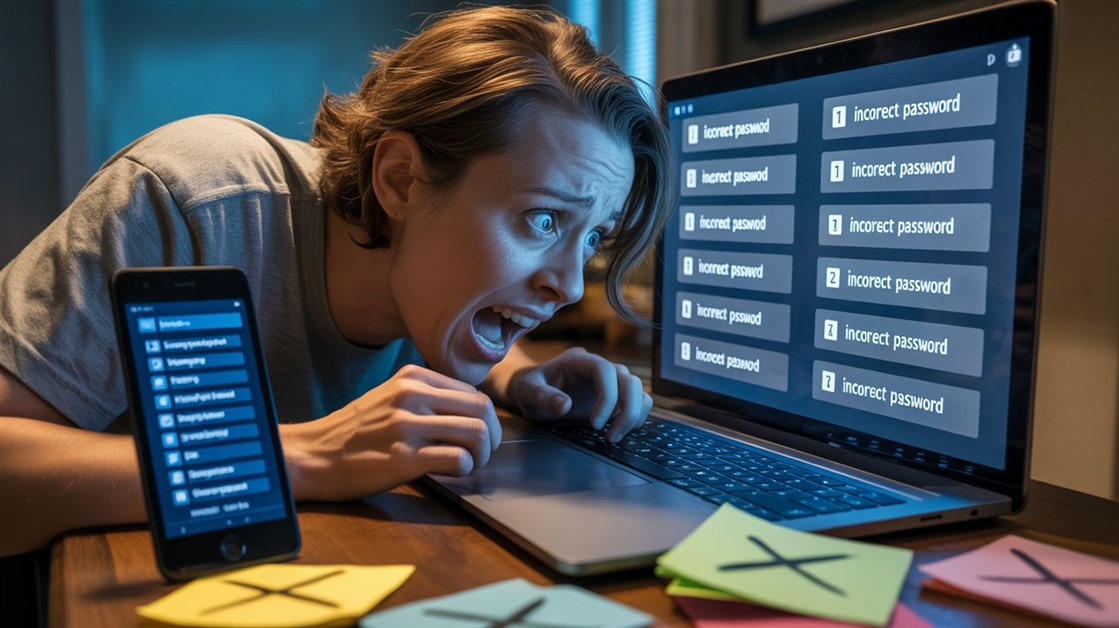
Scroll. Scroll. Scroll. Your work deadline missed. Your brain numb.
You tried closing the tab. Opened it 2 minutes later.
The real problem isn't you—it's that infinite scroll removes all natural stopping points.
What ADHD Brains Say About Doomscrolling
r/ADHD, Simply Psychology, Bluesky GitHub issues, and Hacker News threads reveal the same struggle:
- "I can't go five minutes without searching for the minimal dopamine hit I can get from TikTok." — Simply Psychology ADHD study 2025
- "I spend hours every day just mindlessly thumbing through my phone; my inner monologue is screaming to get up and actually do something, but it's like a paralysis." — ADHD user quote 2025
- "Doomscrolling is a problem plaguing modern society, and infinite scrolling exacerbates it. By providing 'checkpoints' in the form of a 'Load More' button, it makes it considerably easier to stop using the app." — Bluesky GitHub issue #8041
- "Game changer for my ADHD. I was losing 3-4 hours daily to Instagram Reels and couldn't stop myself." — UNDOOMED app review
- "What works for me is removing the antecedent completely by charging my phone in another room at night." — Hacker News comment 2025
Common theme: Willpower doesn't work. The ADHD brain seeks dopamine → infinite scroll provides infinite dopamine hits → you never stop.
Why Infinite Scroll Destroys ADHD Brains
Root Cause 1: Dopamine-Hungry Brain Meets Infinite Rewards
ADHD = lower dopamine levels than average
Infinite scroll = constant novel content (dopamine hit every 2 seconds)
"ADHD brains experience a surge of motivation after a high-stimulation behavior triggers dopamine, but in the aftermath return to baseline with an immediate drop in motivation." — Dr. Ellen Littman
Result: You scroll for the next hit. Then the next. Forever.
It's not weakness. It's neurochemistry vs. algorithmic engineering.
Root Cause 2: Time Blindness + No Exit Ramps
Traditional websites: Bottom of page = natural stop
Infinite scroll: NEVER reaches bottom
ADHD time blindness: "5 minutes" feels like 5 minutes (but it's been 90)
Without friction, ADHD brain can't estimate elapsed time.
Root Cause 3: The "One More Post" Trap
Your brain thinks: "I'll stop after this post"
Scroll triggers auto-load → next post appears → brain resets intention
Repeat 500 times
Infinite scroll removes decision moments. You never actually decide to continue—it just continues.
How to Know If You Need Anti-Scroll Extensions
The Time Warp Test
1. Open Reddit/Twitter with a timer
2. "Just check for 5 minutes"
3. Check timer when you finally close tab
If actual time > 3x intended time → you need intervention
The Willpower Failure Test
How many times today did you:
- Close tab, reopen it <5 minutes later?
- Tell yourself "just one more scroll"?
- Miss a deadline because you were scrolling?
If answer >3 times/day → willpower isn't the solution
Best Browser Extensions That Kill Infinite Scroll
Best for Reddit: No Doom Scrolling (Firefox)
What it does: Disables infinite scrolling, adds "Load More" button checkpoints
Key features:
- Works on every site (Reddit, Twitter, Facebook, news sites)
- Replaces auto-scroll with manual "Load More" button
- Forces conscious decision: "Do I want to keep scrolling?"
- No configuration needed—install and done
Why it works: Decision checkpoint = exit ramp. Your brain gets a moment to ask "why am I still here?"
Best for: ADHD brains who need friction to break loops. Reddit power users.
Platform: Firefox Add-ons
Price: Free
🔗 Install No Doom Scrolling →
Best for Chrome: Doomscroll Blocker
What it does: After X scrolls, shows alert + makes feed vanish
Key features:
- Works on Twitter, Reddit, Instagram, TikTok
- Customizable scroll limit (default: after certain distance)
- Alert popup: "Go touch some grass"
- Feed disappears completely (can't keep scrolling)
Real user feedback: "Simple yet effective tool. Eliminates temptation to continue scrolling." — Softonic review 2025
Why it works: Hard stop. Not just a nudge—feed actually gone. Forces you offline.
Best for: People who ignore nudges. Need hard intervention.
Platform: Chrome Web Store
Price: Free
🔗 Install Doomscroll Blocker →
Best for Time Limits: StayFocusd (Chrome)
What it does: Limits total time on distracting sites per day
Key features:
- Set daily time allowance (e.g., 30 min on Reddit/day)
- After limit hit → site blocked rest of day
- "Nuclear Option": Block sites for multiple days
- Can't disable once activated (prevents weak-moment bypass)
Why it works: Scarcity creates value. When you only have 30 min, you use it intentionally.
Trade-off: Doesn't stop infinite scroll specifically—just total time. But time limit forces exit.
Best for: People who need total time caps, not just scroll intervention.
Platform: Chrome Web Store
Price: Free
🔗 Install StayFocusd →
Best Mobile App: UNDOOMED (iOS/Android)
What it does: Blocks infinite scroll on mobile (Instagram Reels, Reddit, YouTube Shorts)
Key features:
- 54 filters: Instagram Reels, Reddit infinite scroll, YouTube Shorts, X timeline, LinkedIn feeds
- Messages Only Mode: Access DMs without seeing feed
- Time limits + screen time tracking (Clarity Score)
- PIN-protected settings (can't bypass during weak moments)
- 100% private—no tracking, no data collection
Real user feedback: "Game changer for my ADHD. I was losing 3-4 hours daily to Instagram Reels and couldn't stop myself. UNDOOMED's Messages Only mode means I can still check DMs without getting sucked into the feed." — App Store review
Why it's worth it: Mobile is where most doomscrolling happens. Desktop extensions don't help phone addiction.
Best for: ADHD users who doomscroll on phone (Instagram, Reddit app, TikTok).
Platform: iOS App Store, Google Play
Price: Free (premium features available)
🔗 Download UNDOOMED →
Do You Actually Need These Extensions?
You probably don't need this if:
- You use social media <30 min/day total
- You can close tabs and not reopen them
- Infinite scroll doesn't affect your work/sleep
- You don't have ADHD or compulsive scrolling tendencies
You probably do need this if:
- You've ever "lost" 2+ hours to Reddit/Twitter without realizing
- You close tabs, reopen them <5 minutes later
- You've missed deadlines because you were scrolling
- You scroll in bed and sleep 2 hours later than planned
- You have ADHD diagnosis or suspect ADHD traits
- You've tried "just using willpower" and failed repeatedly
Can't Install Extensions? Try These Hacks
Charge Phone in Another Room at Night
"What works for me is removing the antecedent completely by charging my phone in another room at night. Now the battle is easier: Decide once a day to put it there." — Hacker News user
Physical distance = friction. Can't doomscroll if phone isn't in bed.
Trade-off: Needs willpower once/day (at bedtime). Better than needing willpower 50x/day.
Use Old Reddit (reddit.com → old.reddit.com)
Old Reddit design = pagination, no infinite scroll
Bottom of page = actual bottom (natural stop)
Trade-off: Uglier UI. But that's a feature—less addictive.
Enable Browser Reading Mode
Firefox/Safari: Hit reading mode on articles
Strips out infinite scroll, comments, related articles
Trade-off: Only works on article pages, not feeds.
Delete Social Media Apps (Keep Browser Versions)
Apps = optimized for addiction (push notifications, faster loading)
Browser versions = slower, more friction
Trade-off: Inconvenient. But inconvenience is the point.
Why "Just Use Willpower" Doesn't Work
Every productivity guru says it. "Just close the tab. Be disciplined."
Cool. And when your ADHD brain's dopamine system is literally engineered to seek novelty?
Willpower is a finite resource. Infinite scroll is infinite.
You're fighting:
- Neurochemistry (dopamine-seeking behavior)
- UX design (scroll triggers auto-load)
- Algorithms (feed optimized to keep you scrolling)
- Time blindness (ADHD can't estimate elapsed time)
That's not a fair fight.
Real solution: Change the environment, not yourself.
Browser extensions = environmental change. They add friction. Force checkpoints. Give exit ramps.
Install once. Never need willpower again.
You're Not Weak—Infinite Scroll Is Engineered Addiction
You tried closing tabs. Setting timers. Promising yourself "just 5 minutes."
Still lost hours.
It's not you. It's that infinite scroll was designed by UX engineers to maximize time-on-site.
Real solution: Browser extensions that kill auto-scroll.
What to use:
- Desktop: No Doom Scrolling (Firefox), Doomscroll Blocker (Chrome), StayFocusd (time limits)
- Mobile: UNDOOMED app (blocks Instagram Reels, Reddit scroll, YouTube Shorts)
- Nuclear option: Charge phone in another room, use Old Reddit, delete apps
Install. Breathe. Reclaim your time.
Discipline is overrated. Environmental design works better.
Quick Summary (TL;DR)
Problem: Infinite scroll removes natural stopping points. ADHD brains can't resist dopamine loop.
Test if you need help:
- Do you lose 2+ hours to Reddit/Twitter without realizing?
- Do you close tabs, reopen <5 min later?
Best Browser Extensions to Kill Infinite Scroll:
- Firefox: No Doom Scrolling (free, adds "Load More" checkpoints)
- Chrome: Doomscroll Blocker (free, feed vanishes after X scrolls)
- Time Limits: StayFocusd (free, caps daily time on sites)
- Mobile: UNDOOMED app (iOS/Android, blocks Reels/Shorts/infinite feeds)
Can't install extensions? Try:
- Charge phone in another room at night
- Use Old Reddit (old.reddit.com) — pagination instead of infinite scroll
- Delete social media apps (use browser versions only)
What's your doomscrolling vice? Drop it in the comments.









Discussion
(0)Be the first to share your thoughts.