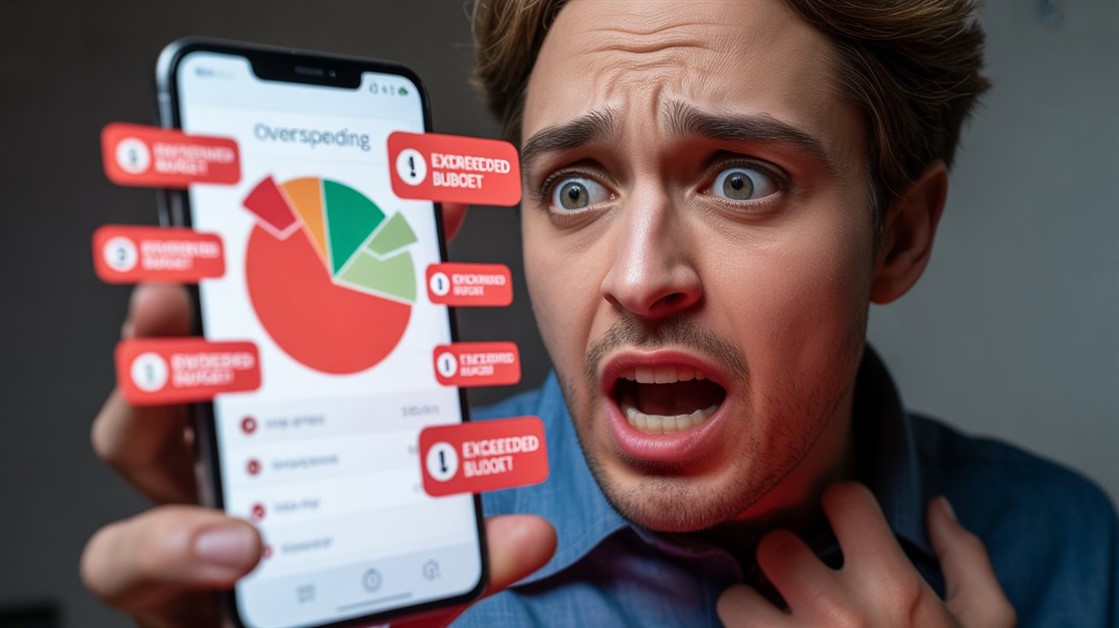
The notification lands at the worst possible moment: "you spent too much on takeout this month," next to a red pie chart and a progress bar that's basically wagging its finger. Cue the small spiral of shame, the vow to do better, and — a few weeks later — deleting the app entirely. Next month you reinstall and do it all again.
Here's the reframe worth having: overspending on a Wednesday isn't a moral failure, it's just what happened. The problem isn't your willpower — it's that most budget apps are built to judge the past instead of help you decide the present. A few are built the other way.
The no-shame shortlist
- Best overall: YNAB — plan money before you spend it, and move it around guilt-free when plans change. Paid, but the mindset is the point.
- Best free: Goodbudget — a digital envelope system; when an envelope's empty you're simply done, no red alarms.
- One simple number: PocketGuard — shows what's safe to spend right now, so you're not juggling a dozen categories.
- Skip all this if: tracking your spending doesn't send you into a spiral — a plain spreadsheet is fine.
| App |
Best for |
How it avoids shame |
The catch |
| YNAB |
Overspenders who spiral |
Move money between categories; plan ahead |
Paid only; a learning curve |
| Goodbudget |
Beginners, free budgeters |
Empty envelope = a boundary, not a warning |
Free tier is limited; manual entry |
| PocketGuard |
One-number simplicity |
Shows what's safe to spend, no red flags |
Free tier is narrow; full features paid |
Why most budget apps backfire
The core design flaw is that traditional budget apps are rear-view mirrors. They tell you what you already did — "you spent this much on restaurants" — after the money is gone and there's nothing left to do about it. That's information with no action attached, which is really just guilt with extra steps.
Then there's the colour. The moment you cross a category limit, the app flips it red, and a red warning reads to a lot of brains — anxious or ADHD ones especially — as a threat, not a data point. The rational response to a thing that makes you feel bad is to avoid it, so you stop opening the app at all, and the budgeting stops with it. (This is general information, not financial or mental-health advice — if money genuinely triggers serious anxiety, a therapist or a nonprofit financial counsellor will help more than any app.)
The apps below flip both of those. They point forward — what you can spend now — and they treat going over as a trade-off to rebalance ("this coffee comes out of clothing this month"), not a verdict on your character.
The apps that skip the shame
YNAB — the mindset shift, if you'll pay for it
Best for: people whose overspending triggers a guilt spiral and who want to get ahead of money instead of chasing it.
Skip if: you want something free, or you don't have a week to learn a method.
YNAB's whole philosophy is "roll with the punches": you give every dollar a job up front, and when real life blows the plan — a bigger dinner, a surprise bill — you don't get scolded, you just move money from one category to another to cover it. Overspending becomes a question ("where should this come from?") instead of a failure. It's the strongest reframe of the three, and the one people most often say actually changed how they feel about money. The honest catches: there's no real free tier beyond a long trial, so it's a paid subscription (students get a year free), and the method takes a week or two to click before it feels natural.
👉 Try YNAB → YNAB (You Need A Budget)
Goodbudget — the free, no-nonsense envelope system
Best for: beginners, and anyone who wants a hard boundary without a subscription.
Skip if: you want automatic bank syncing and lots of accounts on the free plan.
Goodbudget digitises the oldest guilt-free system there is: envelopes. You split your income into buckets — rent, food, fun — and when a bucket is empty, that's the entire message. No red alert, no "you failed," just: out of budget here, so adjust or wait. Its genuinely free plan is what earns it a spot. The trade-offs are the free-tier limits (a capped number of envelopes and a single account) and manual entry — it doesn't auto-pull from your bank, which some people find is exactly the awareness they needed, and others find is a chore.
👉 Try Goodbudget → Goodbudget
PocketGuard — one number instead of a dozen categories
Best for: people who can't hold fifteen budget categories in their head and just want to know "can I buy this?"
Skip if: you want detailed, category-by-category control.
PocketGuard's trick is boiling everything down to a single "in my pocket" figure — what's left to spend after bills and savings are set aside. Instead of policing a dozen limits, you glance at one number: if it's there, you can spend it, guilt-free. That simplicity is why it lands well for ADHD brains that bounce off complex systems. The catch is that the free version is narrow — it limits how many accounts and categories you can link — so getting the full one-number picture across your real finances means the paid tier.
👉 Try PocketGuard → PocketGuard
No budget for a budget app? Free ways to do it kindly
The method matters more than the tool, and you can run a no-shame budget for free. A plain spreadsheet works if you set the language yourself — write "reprioritised" where an app would write "OVER," and it stops feeling like a scolding. The old cash-envelope version does the same in the physical world: pull out cash, split it into envelopes, and an empty envelope is a boundary rather than a failure. And most of these apps offer a free trial, so you can test whether the "roll with the punches" mindset clicks before paying for anything.
If the shame isn't only about money but about every system that makes you feel behind, you're not alone in that — our guide to task managers that don't make you feel guilty comes at the same problem from the to-do side.
FAQ
What actually makes a budget app "guilt-free"?
Three things: it looks forward (what you can spend) instead of back (what you overspent); it lets you move money between categories when priorities change, rather than locking you into rigid limits; and it drops the red-alert warnings that read as judgment. Information, not a telling-off.
Is there a genuinely free option, or do they all cost money?
Goodbudget has a real free plan with no time limit — it just caps how many envelopes and accounts you get. PocketGuard has a free tier too, though a narrow one. YNAB is paid after its trial, so the free routes there are the student year or a spreadsheet.
I have ADHD and every budget app has beaten me — where do I start?
Start with the one that asks the least of your attention. PocketGuard's single "safe to spend" number is often the gentlest on-ramp, because it replaces a dozen things to track with one. If you want to change the underlying habit rather than just monitor it, YNAB's method is more work up front but sticks deeper. Either way, this is general guidance, not clinical advice.
Will switching apps actually stop the overspending?
Honestly, not on its own — an app changes how spending feels and how visible your trade-offs are, which helps a lot, but it isn't a cure. The point of a guilt-free app is to keep you engaged instead of scaring you off, because a budget you actually check beats a "perfect" one you deleted.
A note on links: these apps have their own free and paid tiers, and these aren't paid or affiliate links — they're here because they fit the no-shame brief, not because of a kickback. Our picks come from analyzing real user reviews and independent comparisons.
What's the app that finally made you rage-quit budgeting — and what are you using now? Tell us what stuck.








Discussion
(0)Be the first to share your thoughts.