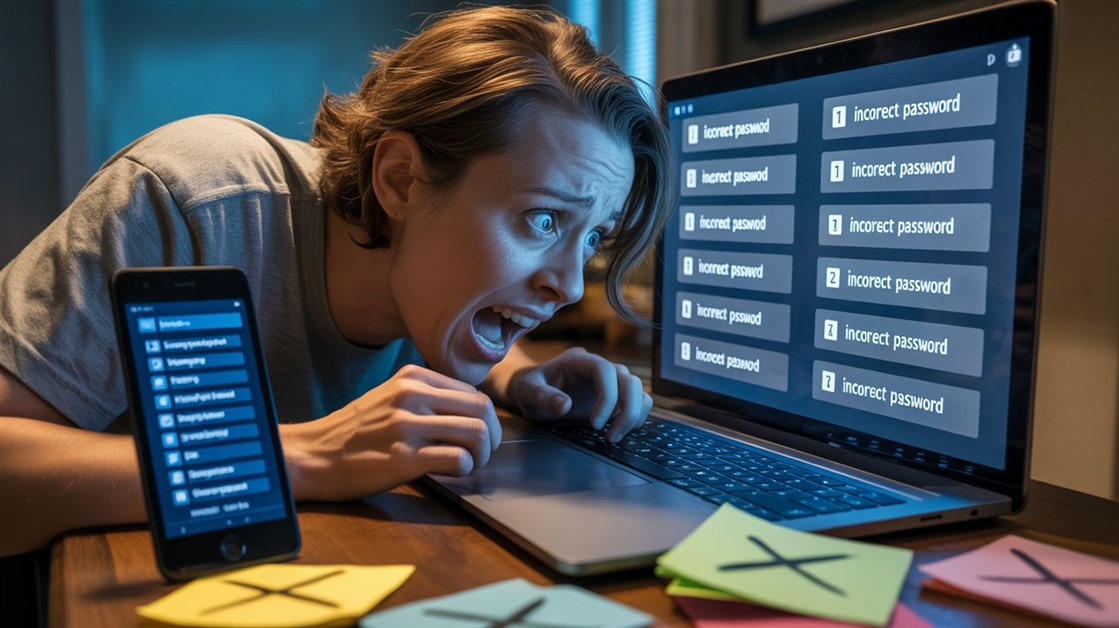
You mistype the master password for the fourth time and the vault stays shut — the one password standing between you and every other password you own, and it's gone from your head. Somewhere a recovery process is offering to help in a week or two. Your bank login is on the far side of that wait.
Biometric unlock is the fix for this. But it's worth being precise about what it actually does, because "never deal with a master password again" isn't quite true — and believing otherwise can lock you out for good.
The honest version
- Biometrics don't replace your master password — they stop you typing it every day. Your face or fingerprint unlocks the vault on a device you've already set up.
- The master password still exists and still matters: you need it for a new device and for recovery, and a proper zero-knowledge manager can't reset it for you if you lose it.
- So the real move is: set a strong master password once, write it down and store it safely, then stop typing it day to day.
| Manager |
Best for |
Biometric unlock |
The catch |
| Bitwarden |
Almost everyone, free |
Face ID / fingerprint / Windows Hello |
Free and audited; plainer interface |
| 1Password |
Polish, families, travel |
Same, on top of a Secret Key |
Paid; a second secret to keep safe |
| KeePassXC + YubiKey |
Off-the-cloud, hands-on |
Fingerprint on a hardware key |
Technical; no auto-sync; buy the key |
Why the master password trips people up
A password manager solves the "I can't remember hundreds of passwords" problem by making you remember exactly one instead — and then makes that one carry the weight of all the others. The advice is to make it long, random, and unique, which is precisely the kind of string a human brain is worst at holding onto.
So the failure modes are predictable. You write it on a sticky note, quietly undoing the point of the vault. Or you forget it, reset it, and forget the reset. And because a good manager is zero-knowledge — the company genuinely can't see your master password — forgetting it means a recovery process measured in days, or in the worst case a vault that's simply gone. (Trouble holding onto a string like this is common with ADHD and isn't a character flaw — this is general productivity information, not medical advice.)
Biometrics break the daily part of that loop. You still create the master password once, but your face or fingerprint handles the everyday unlocking, so the string you're bad at remembering becomes something you look up rarely instead of typing constantly.
The managers that unlock with your face or finger
Bitwarden — the one to start with (free)
Best for: almost everyone, and anyone who wants biometric unlock without paying.
Skip if: you want the most polished interface and don't mind paying for it.
Bitwarden is the default recommendation because it does the important thing — biometric unlock across phones, laptops, and browser extensions — on its free tier, not behind a paywall. You set the master password once, switch on Face ID, a fingerprint, or Windows Hello, and from then on the vault opens with a glance or a touch on any device you've set up. It's open-source and independently audited, which for the thing holding all your passwords counts for a lot. The honest trade-off is polish: the interface is functional rather than beautiful, and a few conveniences feel smoother in paid managers.
👉 Try Bitwarden → Bitwarden
1Password — the polished, paid option
Best for: people who want the nicest experience, families sharing a vault, or frequent travellers.
Skip if: you want a free option, or you'd rather not manage a second secret.
1Password is the premium pick, and it earns that on refinement: the apps are the slickest of the group, family sharing is genuinely easy, and its Travel Mode — which can hide selected vaults so they're not even present when you cross a border — is a feature nobody else really matches. Biometric unlock works the same way day to day. Its extra wrinkle is a Secret Key created at setup: it strengthens your security, but it's a second thing you have to save alongside the master password rather than lose. And it's a paid subscription with no permanent free tier.
👉 Try 1Password → 1Password
KeePassXC + a biometric YubiKey — the offline route
Best for: people who don't want their vault sitting in anyone's cloud and are comfortable with a more hands-on setup.
Skip if: you want automatic syncing across devices and a simple, guided experience.
If the cloud itself is what worries you, this is the combination to look at. KeePassXC keeps your vault as a file on your own machine — open-source, nothing uploaded — and a fingerprint-equipped hardware key (a YubiKey Bio) becomes the biometric unlock, so you tap a physical key and scan your finger instead of trusting a phone's sensor. The honest costs are convenience and effort: there's no automatic sync between devices unless you set that up yourself, the hardware key is an extra purchase, and the whole thing asks more of you technically than a mainstream app does.
👉 Try KeePassXC → KeePassXC
👉 Check the YubiKey Bio → YubiKey Bio
Setting it up so it can't backfire
One step matters more than all the others, and it comes first: when you create the master password, write it down and store it somewhere physical and safe — a fireproof box at home, a sealed note with important papers, wherever you keep documents that matter. You won't type it daily once biometrics are on, but you will need it for a new phone and for recovery, and no one can hand it back to you if it's lost.
After that, turning biometrics on takes a minute: open the app's security settings, switch on Face ID, fingerprint, or Windows Hello, and confirm with a scan. Do the same in the browser extension so autofill unlocks the same way. Then test it on purpose — lock the vault, reopen it, and check that it asks for your face or finger rather than the password. Once it does, you're set: the string you can't remember has become something you look up once in a blue moon.
If forgetting things is a broader pattern than just passwords, you're in good company — our guide to note-taking for people who lose all their notes comes at the same forgetful-brain problem from another angle.
FAQ
Can I really use a password manager with no master password at all?
Not truly — and be wary of anything that claims you can. Every serious manager keeps a master password as the ultimate key to your encrypted vault. What biometrics change is how often you use it: your face or fingerprint handles daily unlocking, while the master password moves into the background, needed only for new devices and recovery. You stop typing it; you don't get rid of it.
Are biometrics less secure than a strong password?
For most people they're a security win, because the realistic alternative isn't a strong typed password — it's a weak one, or the same one reused, or a sticky note. Biometric unlock sits on top of a strong master password you set once, so you get that password's protection without the daily temptation to weaken it. Your fingerprint also never travels to the company; it stays on your device.
What happens if I lose my phone or my finger won't scan?
That's exactly why the written-down master password matters. On a new or backup device you unlock once with the master password, then re-enable biometrics. A cut or wet finger, or a failed face scan, just falls back to typing the master password that one time. The system is built to have that fallback — which is why losing the master password entirely is the real risk to avoid.
Which one should I pick?
Start with Bitwarden: it's free, audited, and does biometric unlock everywhere. Move to 1Password if you want the most polished apps, family sharing, or Travel Mode. Choose the KeePassXC-and-YubiKey route only if keeping your vault off the cloud matters enough to trade away easy syncing.
A note on links: these tools have their own free and paid tiers, and these aren't paid or affiliate links — they're here because they fit the brief, not because of a kickback. Our picks come from analyzing real user reviews and independent security coverage.
What's your relationship with your master password right now — memorised, written down, or a quiet source of dread? Tell us how you handle it.







Discussion
(0)Be the first to share your thoughts.