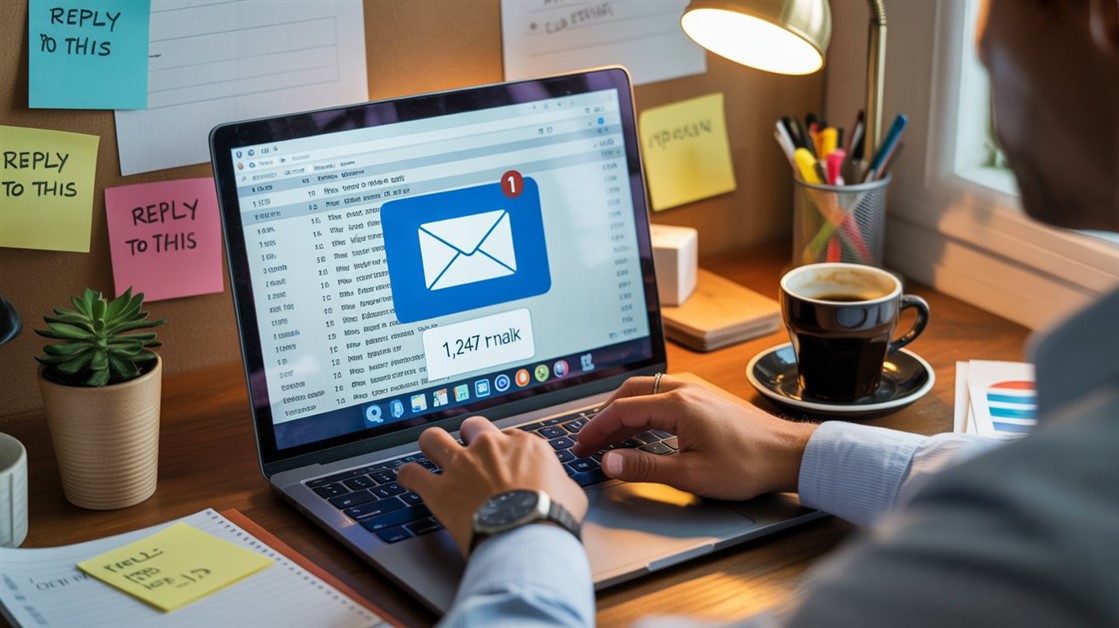
Email anxiety isn't a discipline problem. The inbox doesn't become unmanageable because you're bad at staying on top of things — it becomes unmanageable because the volume arriving is disconnected from the time you have to process it, and most emails don't actually require any response at all. The mismatch between what arrives and what matters is the root problem. Inbox zero addresses none of it.
What Email-Anxious People Actually Experience
On Reddit's r/productivity and r/ADHD, the same patterns come up from people who dread their inbox:
- “I have 3,000+ unread emails. I’ve given up.”
- “Opening my inbox gives me instant anxiety.”
- “I mark everything as read just to make the number go away.”
- “I created a new email address to ‘start fresh.’ It’s now at 800 unread.”
Reviews for email productivity apps and courses reflect the same cycle: brief improvement, then the inbox floods again, then the guilt, then avoidance. The problem isn’t the system. It’s the goal the systems are aimed at.
Why Inbox Zero Fails
Inbox zero treats email like a task you finish — the way you finish loading a dishwasher. But email is a stream, not a container. The moment you clear it, it refills. Any target built around achieving zero fails by design: the inbox refills the moment it’s empty, which registers as failure, which triggers the shame spiral that makes the problem worse.
The second problem is what achieving inbox zero actually requires: processing every email that arrives, regardless of whether it warrants your attention. If ten people email you today, inbox zero means their agendas get handled before yours. That’s not productivity — it’s servicing everyone else’s priorities first.
The third problem is the cycle it creates. You hit inbox zero Monday. By Tuesday you’re at 47 unread. That registers as failure, so you avoid it. By Friday it’s 200. The avoidance makes the problem worse — and the feeling driving it is the correct intuition that the goal was wrong from the start.
The Goal Is Inbox Peace, Not Inbox Zero
Inbox peace means important emails get handled, unimportant ones don’t steal your attention, and you spend around 30 minutes a day on email rather than 2–3 hours. The reframe is straightforward: email is a river, not a pond. You don’t empty a river — you stand at the bank and grab what matters.
The specific shift is from “I need to read everything” to “I need to find the emails that require action.” Most inboxes follow something close to the 80/20 pattern: a minority of emails need an actual response or decision; the rest are newsletters, FYIs, CC chains, and automated notifications. Processing everything at the same rate is the efficiency problem — not the volume itself.
A System That Reduces Email Anxiety
Accept That Most Emails Don’t Need You
Before building any system, do one thing: open your inbox and scroll through the last 50 emails. Count how many actually required action — a reply, a decision, a task. For most people, it’s 5–10 out of 50. The rest was noise. Your entire email management problem is caused by treating all 50 as if they might be in that 5–10.
The 3-Folder System
Most people have too many folders, which creates its own overhead — filing becomes a task. Three folders is enough: one for emails that require you to do something (Action Needed), one for emails where you’re waiting on someone else (Waiting), and one for everything else (Archive). The key: “everything else” goes directly to Archive — not to a project folder, not to a client folder, not to a folder you’ll organize later. Archive means searchable storage. If you ever need it, search will find it.
The workflow: open email once or twice a day, scan for anything in the action or waiting categories, move those to the right folder, archive everything else immediately. Your inbox stays empty because it’s a triage point, not a storage bin.
The 2-Minute Rule With a Timer
If an email takes less than 2 minutes to handle, do it now — but set a 15-minute timer before you start. Reply to as many quick emails as you can. When the timer ends, stop. You’ve made real progress without letting email consume your morning. The timer is what prevents the “just one more email” pattern that turns a 15-minute session into two hours.
Pause Your Inbox During Focus Time
Email notifications are designed to interrupt you. Each one is a context switch that takes real time to recover from. Most email apps have notification settings worth using; the browser extension Inbox When Ready (Chrome and Firefox, free tier available and $4/month paid) hides your Gmail inbox by default until you actively choose to open it. The email still arrives — you just control when you see it, rather than every arrival dictating your attention.
Email Bankruptcy: The Nuclear Option
If the inbox has accumulated past the point where any triage feels possible, declare email bankruptcy. Create a folder called “Old Emails — [Today’s Date],” move everything older than one week into it, and start fresh. The folder is a searchable archive; in practice, you probably won’t need it. If anything important was buried there, the sender will follow up — urgent things don’t stay silent. An optional blanket reply helps: “I’m reorganizing my inbox — if you’re waiting on something from me, reply here and I’ll prioritize it.”
Unsubscribe Aggressively, One Week at a Time
For seven days, any newsletter or subscription email you don’t open gets an immediate unsubscribe — no “I might read it someday” exceptions. If you haven’t opened it in a week, you won’t. Most people see inbox volume drop noticeably in the first week, which is often enough to make the whole problem feel manageable.
Tools That Help Without Making It Worse
Gmail and Outlook both have built-in snooze features — an email disappears from your inbox and reappears at a time you choose. Useful for emails that need action later but are clutter right now.
Unroll.me aggregates all your newsletter subscriptions in one view and lets you unsubscribe in bulk. It’s effective for the subscription problem specifically. Worth knowing: Unroll.me’s business model involves scanning your inbox to build market research data from purchase receipts, which has drawn real privacy criticism. It’s a trade-off — useful tool, significant inbox access cost. Use it with that context in mind.
Inbox When Ready hides your Gmail inbox view by default so you can’t reflexively check it; it only shows what’s there when you actively click “Show Inbox.” Reduces compulsive checking without changing how email works.
Boomerang for Gmail handles two useful cases: scheduling emails to send later (write when you have time, deliver when it lands better), and setting auto-reminders if someone doesn’t reply within a set window. Removes the “I need to remember to follow up” mental overhead.
The One Question That Changes Everything
Before opening email, ask: what do I need to accomplish today? Email is everyone else’s agenda delivered to your inbox. If you open it first, you’ve let other people’s priorities shape your morning before you’ve decided what your own are. The question isn’t whether to check email — it’s when, and with what intentions before you open it.
Do You Actually Need to Change How You Handle Email?
Not everyone with a full inbox has a problem. If your inbox doesn’t stress you out, important emails get handled on time, and email takes under an hour a day — nothing here is necessary.
A new system is worth building if:
- Opening email regularly gives you anxiety
- You’ve missed something important because of inbox chaos
- You spend 2+ hours a day on email
- You’ve said “I’ll deal with this later” on the same email more than three times
If writing the actual emails is where you get stuck — the overthinking, the starting over, sending something you’re not sure about — our guide to email templates for people who overthink every word covers the writing side of the same problem.
FAQ
Can I really declare email bankruptcy without consequences?
In most cases, yes. Urgent emails don’t stay silent — if something genuinely needed action and you missed it, the sender will follow up. The emails that stay buried are usually the ones that didn’t require a response in the first place. The realistic risk is very low for personal email and most professional contexts. If your role involves legal or compliance-sensitive correspondence, archive carefully rather than deleting — but the fresh-start approach still applies.
How often should I actually check email?
Twice a day works well for most people — once mid-morning, once mid-afternoon. The specific times matter less than the intentionality: you check on a schedule you control, not whenever a notification fires. Some roles genuinely require faster response times; if yours does, twice a day is too infrequent and that’s a legitimate constraint. For most people, the constant checking is a habit, not a job requirement.
Is inbox zero ever worth pursuing?
As a metric, no — it creates a failure response the moment the inbox refills, which it will. As an occasional outcome, it’s fine: clearing everything and landing at zero is a pleasant state when it happens. The problem is making zero the definition of success. “Important things handled promptly, noise ignored” is a more durable target and doesn’t punish you every Tuesday.
What if my job requires fast email response times?
The system still applies, just on a shorter cycle. Even in high-responsiveness roles, the 3-folder triage reduces the mental weight of a full inbox. What changes is the frequency of checking, not the logic. And “fast” usually means within a few hours, not within minutes — most email urgency is perceived rather than actual. If truly minute-level response is required, that’s what chat tools and phone calls are for.
Start Somewhere Small
Pick one: the 3-folder system, one week of aggressive unsubscribing, or a two-check daily schedule. One change that sticks for a month does more than a complete overhaul that gets abandoned in a week.
Note: No affiliate links in this article — all tools covered are free or freemium strategies and extensions.
How many unread emails do you have right now — and does the number actually bother you, or is it just a number?








Discussion
(0)Be the first to share your thoughts.