When Your Stream Looks Like Security Footage
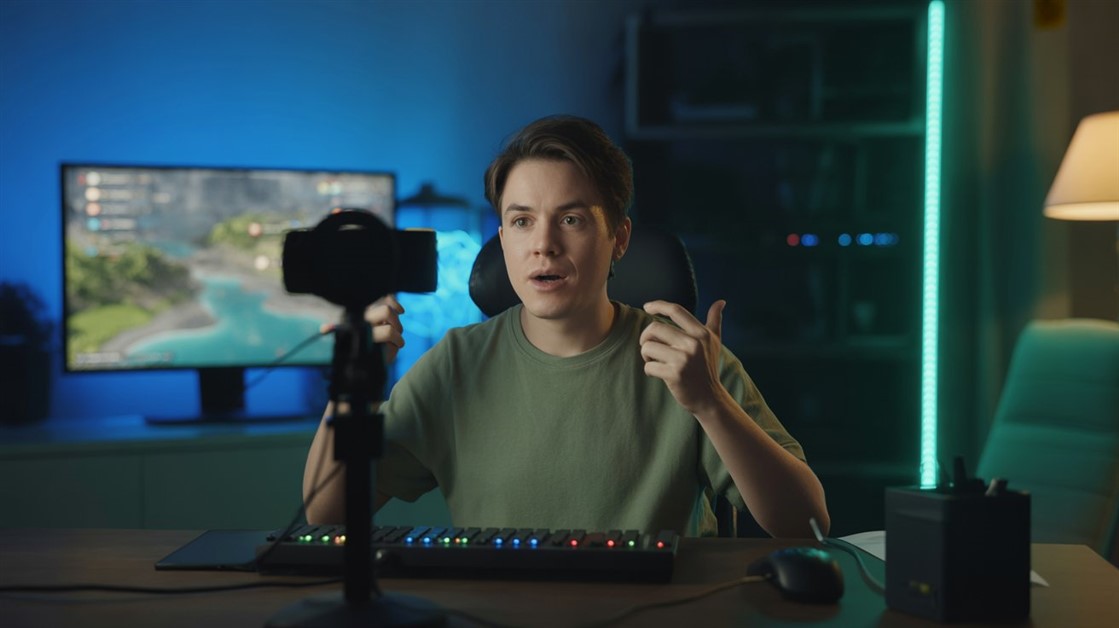
You spent two hours configuring OBS. Your overlay is perfect. You hit "Go Live," look at the preview, and immediately deflate. Your face is a dark, grainy blob barely visible against your monitor's glow.
The standard advice arrives within seconds: "Just get a ring light." But if you have sensory sensitivities, migraines, or an ADHD brain that becomes overwhelmed in overstimulating environments, staring into a glaring LED halo for three-hour streams isn't a solution — it's a new problem you've just paid money to create.
The good news is the webcam market has changed substantially. The latest generation of cameras uses sensors large enough to pull genuine detail out of dim rooms. You don't need to turn your setup into a photography studio.
Why Most Webcams Fail the "Dark Room" Test
The Tiny Sensor Problem: Most standard webcams use very small image sensors. In low light, they compensate by cranking up the signal gain — which fills your video with heavy static and colored noise. More gain never means more light; it just means more visible desperation.
The Auto-Exposure Trap: If your room is dark but your gaming monitor is blasting light on your face, cheap webcams get confused. They try to average out the dark background, which overexposes your face into a washed-out white ghost. The webcam isn't broken — it's just bad at handling wide contrast ranges, which describes most gaming setups exactly.
The Software Blur Lie: Many brands market "AI low-light enhancement." In practice, the software detects the noise, then heavily blurs the entire image to hide it. You go from looking grainy to looking like a watercolor painting. Different problem, same result.
What Streamers Are Actually Reporting
After reading through recent threads on r/Twitch, r/streaming, and r/pcmasterrace, plus aggregated owner reports from 2025-2026, the complaints form a clear pattern.
The most common frustration: webcams with built-in ring lights. The small LED rings that sit around the lens are almost universally disliked. They're too close to the eye to be comfortable for long sessions, they don't provide enough ambient fill to actually fix dark backgrounds, and they create unflattering flat lighting directly on your face. Streamers who bought these report replacing them within a few months.
The second pattern: auto-exposure fighting with monitor glow. In a dark room with a bright monitor, the webcam's automatic exposure system constantly recalibrates between bright foreground and dark background. The result is a face that fluctuates between bright and shadowy as your screen changes scenes. Cameras with better HDR handling — balancing both extremes simultaneously rather than averaging them — are the ones that get consistent praise.
The third pattern: people discovering that sensor size is the variable that actually matters, not resolution. A 4K camera with a tiny sensor looks worse in low light than a 1080p camera with a large sensor. Resolution is irrelevant if the image is filled with noise.
What Actually Matters When Your Room Is Dark
Two specs separate cameras that work in dim rooms from cameras that don't:
- Sensor size: A 1/2-inch sensor collects roughly four times the light of a 1/4-inch sensor at the same aperture. This is the single biggest predictor of low-light performance.
- Aperture (f-stop): Lower numbers let in more light. An f/1.8 lens in a dark room is meaningfully better than an f/2.8 lens — there's no software workaround for a physically smaller aperture.
Everything else — resolution, frame rate, AI features — becomes secondary once you've confirmed a camera has a large sensor and a wide aperture. Get those two right and the rest of the spec sheet starts to matter.
The "Works on Just Monitor Glow": Insta360 Link 2
If you want the best genuine low-light performance available in a consumer webcam, this is the current benchmark. The 1/2-inch sensor combined with an f/1.8 aperture pulls in significantly more ambient light than anything in the same price range — enough that owners on r/Twitch and Reddit's webcam communities consistently report it working acceptably in rooms lit only by a monitor, without touching the exposure settings.
The HDR mode handles the mixed-lighting problem directly: it balances the bright monitor glare on your face against the dark background in a single frame, which is the specific scenario that breaks most cheaper cameras. Beyond the sensor, the AI tracking physically moves the camera on a gimbal to keep you centered when you move — useful for those who don't sit perfectly still for three-hour sessions.
- The friction it removes: You plug it in and it looks decent immediately, even before any manual tuning, even in a dim room.
The reality check: The AI tracking movement can be slightly visible when you shift positions quickly. You can disable tracking and use it as a fixed camera — you still get the large sensor. The software has had stability complaints from some users; most report it's fine once configured, but expect a setup session.
👉 Check Current Price → Insta360 Link 2
The Solid Professional Upgrade: Logitech MX Brio
If the Insta360's tracking features aren't what you need and you'd prefer something that sits solidly on your monitor without moving parts, the MX Brio is Logitech's current answer to the low-light problem. It features a substantially larger sensor than the older Brio 4K it replaces — owners consistently describe the image as noticeably cleaner in mixed lighting compared to the previous generation.
The RightLight 3 software handles automatic exposure and contrast adjustment in real time, which helps with the monitor-glow problem. It's built with an aluminum chassis and a glass lens with an integrated privacy shutter, which is the kind of build quality that makes it feel like it'll outlast three other peripherals on your desk.
Reviewers note that it performs best in moderate rather than extreme low-light — if your room has some ambient lamp light in addition to your monitor, it handles that combination well. In a truly pitch-black room, the Insta360 Link 2's larger sensor advantage becomes more apparent.
- The friction it removes: It's a heavy, stationary block that just sits on your monitor and works. No gimbal, no tracking, no moving parts — exactly what some setups need.
The reality check: It's positioned more toward professional video calls than hardcore streaming use. It delivers a clean, balanced image rather than a cinematic one. If you want 4K@60fps for streaming, you'll need to look at the Facecam Pro below.
👉 Check Current Price → Logitech MX Brio
The Premium Streaming Workhorse: Elgato Facecam Pro
If you stream regularly and want the highest possible output quality going into OBS — not just the best low-light, but the best everything — this is the option that dedicated streamers eventually land on. It outputs uncompressed 4K at 60 frames per second, which gives OBS maximum data to work with for encoding. The result is a sharper, more professional-looking stream at the same bitrate compared to compressed webcam feeds.
It also integrates directly with Elgato's Camera Hub software, giving you granular control over exposure, sharpness, white balance, and color without touching OBS settings. For streamers who spend time tuning their visual output, the level of control is meaningfully deeper than most webcams offer.
One honest caveat on the low-light angle: reviews note that the Facecam Pro's low-light performance is capable but not exceptional — in genuinely dark rooms it can produce a noticeably grainier image than the Insta360 Link 2. It's the right pick for streamers who have at least some ambient light in their room and want maximum streaming quality, not for those whose primary problem is total darkness.
- The friction it removes: One cable, direct OBS integration, granular software control — everything a serious streaming setup needs in one package.
The reality check: It's expensive and physically large. It looks out of place mounted on a thin laptop screen — it belongs on a dedicated monitor in a permanent streaming setup. It also has no built-in microphone, so you need an external audio solution.
👉 Check Current Price → Elgato Facecam Pro
The Honest Limit of Any Webcam
Even the Insta360 Link 2 with its large sensor can't manufacture light that doesn't exist. In a truly pitch-black room, any webcam will struggle. The practical target isn't "zero light" — it's "less light than a ring light requires."
If you need a sensory-safe lighting solution to pair with a large-sensor webcam, the approach that consistently works: a single soft lamp placed behind your monitor, aimed at the wall behind you. The light bounces back and fills your face indirectly — no direct glare, no harsh shadows, no flicker, no LED ring in your peripheral vision. One lamp, one setting, and the camera does the rest.
FAQ
Why does my webcam look grainy in low light?
Grain appears when a small image sensor doesn't receive enough light and compensates by artificially amplifying the signal (increasing ISO/gain). This amplification introduces random colored pixels and static into your video. A physically larger sensor collects more light without needing to amplify, which is why sensor size — not resolution — is the most important spec for low-light streaming.
Can a better webcam replace a ring light entirely?
In most rooms, yes — a webcam with a 1/2-inch sensor and a wide aperture (like the Insta360 Link 2) can produce an acceptable stream image using only the ambient glow of a monitor and ceiling light. In a completely dark room with no other light source, even large-sensor cameras will show some noise. A single soft indirect lamp behind your monitor is the sensory-safe complement that removes that last issue entirely.
Why is my face too bright while my background is too dark?
This is an auto-exposure failure caused by high contrast between your lit face and dark background. The camera averages the scene and overexposes the brightest thing — your face. Webcams with true HDR capability (like the Insta360 Link 2's HDR mode) handle this by processing the bright and dark areas independently in the same frame instead of averaging them.
What is the difference between webcam "AI enhancement" and a larger sensor?
AI enhancement is software applied after the image is captured — it detects noise and attempts to reduce it, usually by blurring. A larger sensor collects more light before the image is processed, producing a cleaner signal from the start. There's no software correction that matches the quality of not having the noise in the first place. When a webcam brand leads with "AI low-light," look for the sensor size before buying.
Stop Fighting Your Setup
Streaming is about what you're saying to your audience, not about how many hours you've spent tweaking a lighting rig. The right webcam doesn't give you a perfect studio — it gives you one less thing to think about when you sit down to go live.
Disclosure: We may earn a small commission if you buy through our links — at no extra cost to you. This helps us keep researching gear for real humans like you.
What is the most frustrating piece of advice you've received about your stream's video quality — and did it actually help?

Discussion
(0)Be the first to share your thoughts.