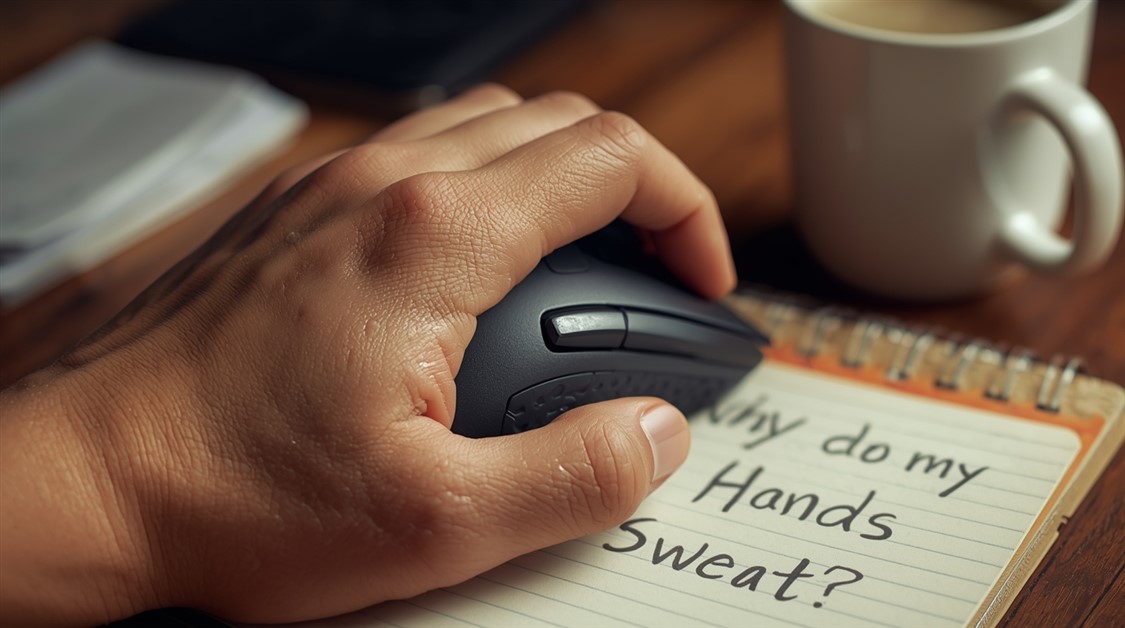
Tired of your mouse slipping during intense gaming sessions? You’re not alone. We analyzed real user complaints and expert tests to find mice with grippy textures that actually work — no more sweaty chaos.
Your mouse just slipped out of your hand mid-fight. The kill went to someone else. You looked down at your palm and you already know exactly why.
Sweaty hands during gaming are one of those problems nobody talks about out loud — partly because it feels embarrassing, partly because the internet keeps recommending flashy mice instead of addressing the actual texture problem. You're not imagining it, and you're not uniquely unlucky. Most gaming mice were designed around a dry-hand assumption.
What Sweaty-Handed Gamers Are Saying
On Reddit's r/MouseReview, the complaints are consistent:
"My Logitech G502 turns into a soap bar during long sessions."
"Glossy mice are impossible — I need grip, not shine."
"Even with wrist pads, my palm slides off."
Amazon reviews for "gaming mice for sweaty hands" echo the same frustration:
"Texture wore off in 2 weeks — back to slipping."
"Rubber sides get sticky, not grippy."
"No one talks about this — it's embarrassing."
Why This Problem Exists
The problem? Most gaming mice prioritize RGB and speed — not texture. Glossy finishes look good in product photos, but they're useless for sweaty palms. If your hands sweat during intense sessions, you need matte, rubberized, or micro-textured surfaces — not style.
There's also a fatigue factor that rarely gets discussed: heavier mice make your hand work harder to stay in control, which generates more heat and sweat over time. A lighter mouse isn't just easier to flick — it's genuinely cooler to hold over a long session.
Best Gaming Mice for Sweaty Hands
After going through owner reviews and expert breakdowns from outlets including PCMag and TechRadar, the same names kept coming up — not for their DPI, but for their texture.
Best Overall: Razer Viper V2 Pro
Why it works: Full matte finish and micro-textured side grips that hold across a long session, not just the first twenty minutes.
Key feature: One of the lightest mice in its class — less muscle fatigue means less heat and less sweat over time.
Forgiveness factor: Matte coatings hold their grip far longer than rubberized sides, which tend to go sticky rather than grippy as they age.
Micro-textured side panels outperform smooth rubber for sweaty hands — sweat tends to pool in smooth rubber and become slippery, while micro-grooves allow moisture to disperse rather than build up. This is why two mice that both call themselves "grippy" can feel completely different after an hour of intense play.
It's also worth checking owner reviews specifically from people who mention sweaty or warm hands — star ratings alone don't capture how a mouse performs after the first session.
If grip is a problem but the mouse itself feels fine otherwise, our breakdown of mousepads that stop wrist pain during marathon gaming sessions covers what's happening at the desk surface level, which plays into how much your palm actually moves against the mouse.
FAQ
Does grip tape actually work, or is it just a workaround?
Grip tape works and many players swear by it, but it's a patch on a mouse that wasn't designed for this — the texture depth and coverage is usually thinner than a proper matte coating, and it can peel or degrade faster. Starting with a mouse that already has the right finish is easier than retrofitting one.
Why do rubber side grips go sticky on some mice?
The soft rubber used on many gaming mice breaks down over time as it absorbs oil and moisture from your hands. The degradation makes it tackier in texture, which paradoxically makes it harder to hold cleanly. Matte hard-coat finishes don't degrade the same way, which is part of why they're preferred by sweaty-handed players for long-term use.
Is lighter always better for sweaty hands?
Not always — fit matters more than weight alone. A very light mouse that doesn't match your grip style or hand size can cause more compensating tension, which generates more heat. The right combination is light weight AND a shape that matches how you actually hold a mouse.
Ready to Stop Slipping?
If you're unsure which to start with, buy from a retailer with a clear return policy so you can test it across a few real sessions before committing.
Disclosure: We may earn a small commission if you buy through our links — at no extra cost to you. This helps us keep researching gear for real humans like you.
Which session is the worst for grip — the first hour or the third? What's been your go-to workaround so far?
Red enemies that vanish on green maps, a minimap you can't read, health bars you notice too late — for colorblind gamers that's not bad play, it's a settings problem. And every platform already has the fix built in.
If gripping a controller hurts after twenty minutes, the problem usually isn't you — it's a stock pad built around someone else's hand. Here's what adjustable-trigger controllers actually let you change for joint pain.
Mainstream controllers assume two working hands. If yours don't cooperate, here's how to build a one-handed setup that actually fits the hand you've got.
Your wrist aches or goes numb by hour two, and you've blamed everything but the flat keyboard forcing your hands into a position they were never built to hold. Split, ergonomic layouts fix the angle — here's what helps.
Twenty minutes in, your temples throb — not from the game, but from your glasses frames pinned under the headset clamp. It's not you being sensitive; it's geometry, and the right headset actually fixes it.
By hour three your left hand isn't gaming, it's managing pain — pinky on Ctrl, ring finger on Shift, thousands of times a session. Foot pedals move those repetitive inputs off your hands so your wrists get a break.
You already pay to see the screen, then gaming glasses want you to pay again for custom lenses. Clip-ons and fit-overs add a tint over the glasses you own for far less — here's the honest truth on what they actually do.
You spent hours routing every cable, then a new mouse meant cutting the whole bundle open to start over. Cable ties treat your setup as finished — it never is. Zipper sleeves are built to be opened and changed.

Discussion
(0)Be the first to share your thoughts.