The Timer You Forget to Start Can't Track Your Time
You hyperfocus for three hours straight. Deep in a client project, you're actually productive. Then you surface, check your time tracker, and see: zero hours logged.
So you estimate. You guess. You invoice for something that feels "about right." Then you realize three days later that you severely undercharged.
Traditional productivity advice says "just build the habit of starting the timer." For ADHD brains, that's the same as saying "just have a different brain." The problem isn't discipline. The problem is that every time tracker on the market was designed by someone who remembers to start timers.
Why Standard Time Trackers Make ADHD Worse
They require working memory: Getting a client email, opening a task, and remembering to click "start" before hyperfocusing involves three separate executive function steps. ADHD working memory drops all three constantly.
They create shame spirals: You open the app. Blank hours. Zero logged. The app has no idea you worked all day. You close it. You avoid opening it tomorrow. The problem compounds weekly until you've lost track of an entire billing cycle.
They punish context switching: The moment you jump from one task to another — which ADHD brains do constantly — you'd need to stop, navigate to the app, end one timer, start a new one. That's four steps in a transition that already costs you cognitive momentum. Most ADHD freelancers just stop bothering.
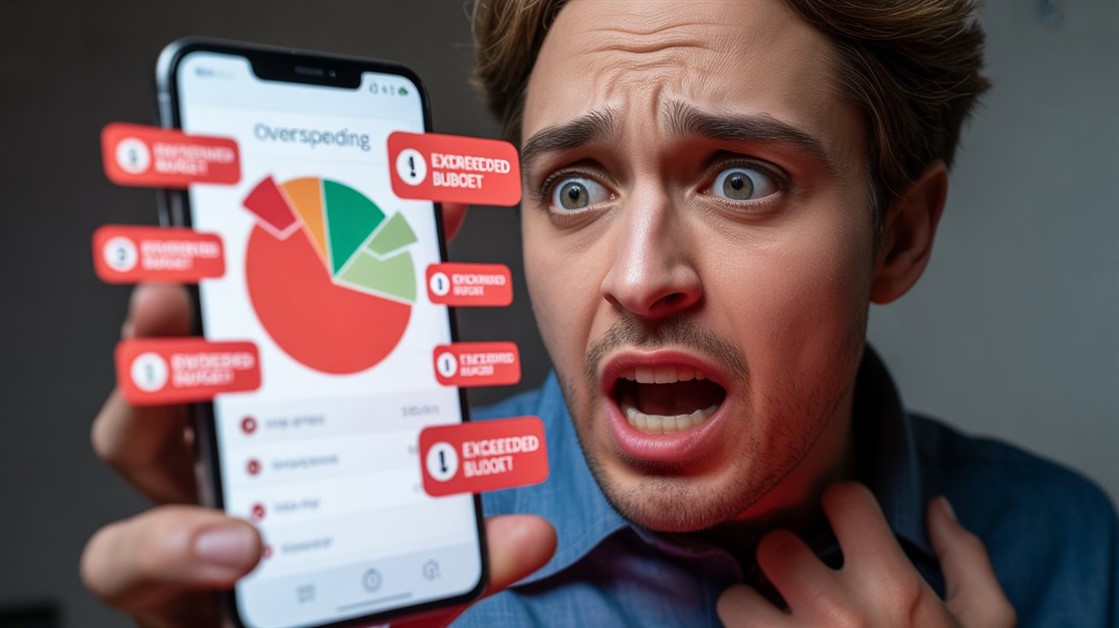
They "guilt-trip" you visually: Dashboard full of red? "Unproductive" labels? That visual shame is enough to make ADHD brains avoid the tool entirely, which defeats the purpose completely.
What Actually Works: Run It in the Background
After reading through extensive discussions on r/ADHD, r/freelance, and r/productivity, the pattern is consistent. The tools that actually stick for neurodivergent freelancers are ones that require zero willpower to operate — they run silently in the background and record everything whether you remember them or not.
The shift in thinking that changes everything: stop trying to track time while you work. Track it after. A passive tool records every app, window, and website you touch throughout the day. At day's end, you review a five-minute log and convert it into invoice hours. One intentional review beats twelve forgotten timer clicks every time.
The other insight from these communities: the goal isn't a perfect unbroken log. It's "accurate enough to invoice honestly." Passive tools get you there without adding a single item to your working-memory load.
The "Zero Willpower" Option: ActivityWatch
ActivityWatch is free, open-source, and runs completely on your own machine — no cloud, no subscription, no data going anywhere you didn't choose. It silently records every app, website, and document you touch throughout the day, entirely without your involvement.
On r/ADHD and r/freelance, it consistently comes up when someone asks for a passive tracker that works without any daily habits. The privacy angle matters to some users too — everything stays local, which means no service shutdowns, no paywalled history, no policy changes that lock you out of your own data.
- The friction it removes: You never touch it while working. At the end of the day you open it, see "you spent 4 hours in Figma and 2 hours in Google Docs," and log that to your invoice. Done.
The reality check: The initial setup requires some categorization work to make the data meaningful. If you're already overwhelmed, that first hour of configuration might feel like a barrier. Set aside 30 minutes on a low-stress day specifically for setup — you won't need to touch it again after that.
👉 Check ActivityWatch (Free) → ActivityWatch
The "Set It and Forget It" Option: Timing (Mac Only)
If you're on a Mac and want something more polished with automatic project categorization built in, Timing has been the consistent favorite among ADHD freelancers for years. It automatically categorizes your work by project without you touching anything during your workday.
The key difference from ActivityWatch: Timing actively tries to assign your tracked activity to specific projects. It often correctly matches "time in Sketch on ClientX file" to the ClientX project, which means your invoice data isn't just raw app logs — it's already sorted by client. For freelancers juggling three active clients at once, that distinction saves meaningful time at billing.
- The friction it removes: Passive tracking plus automatic project matching means your invoice is mostly ready without manual sorting. Review, adjust anything it got wrong, and you're done.
The reality check: It's Mac-only and has an annual subscription cost. If you're on Windows or Linux, ActivityWatch achieves the same passive tracking goal for free. The subscription is worth it if you're billing multiple clients and the automated sorting saves you real time each month.
👉 Check Current Price → Timing
The "I'll Backfill at End of Day" Option: Toggl Track
If you genuinely prefer manual timers but need something that doesn't punish you for forgetting, Toggl Track is the most forgiving option for retroactive entry. Adding a missed block of time takes three clicks and under ten seconds — it's the least painful manual tracker available for the "I know what I did, I just forgot to log it" situation.
Its free tier is genuinely usable, not crippled. The interface is deliberately minimal — no cluttered dashboards, no mandatory project tags, no guilt-inducing red zones. You can add "I worked on Client A from 10am to 1pm" retroactively without navigating through multiple screens.
- The friction it removes: Quick retroactive entry with almost no interface friction. If passive tracking feels like too much setup, Toggl is the lightest manual option that still produces usable invoice data.
The reality check: This still requires you to remember at some point. If you consistently forget your entire day and can't reconstruct it, passive tools like ActivityWatch will serve you better. Toggl is for "I forgot to start the timer but I know what I did" — not for "I have no idea where my day went."
👉 Check Current Price → Toggl
Do You Actually Need Time Tracking?
You probably don't need it if: You charge fixed project rates, work salaried, or are comfortable with rough estimates that your clients accept without issue.
You probably do need it if: You bill hourly, consistently undercharge because your estimates run low, or have lost real income from forgetting to log hours.
A middle path: Run ActivityWatch passively for two weeks without invoicing from it. Just observe. Most ADHD freelancers are genuinely shocked by how far their estimates diverge from the actual logs — especially for "quick" client tasks that quietly took two hours. That two-week reality check alone is usually enough to commit.
FAQ
Why do I keep abandoning time trackers after a week?
Almost always because the tool requires an active step — clicking start/stop — that your brain drops the moment you enter deep focus. The solution isn't more discipline; it's switching to a passive, background-running tool like ActivityWatch that has no step to forget.
Can I use time tracking data to build invoices?
Yes. Passive tools like ActivityWatch and Timing give you a daily log of what apps and files you used and when. You review that log at end of day and transfer the hours to your invoice manually. It takes five minutes and is far more accurate than estimating from memory.
Is RescueTime still worth using?
RescueTime has moved much of its historical data and core features behind a paid subscription, and the free tier no longer provides the functionality it once did. For ADHD freelancers who want a free, private, and fully-featured passive tracker, ActivityWatch has become the more recommended alternative in most current community discussions.
What if I work across multiple devices?
ActivityWatch runs independently on each machine and doesn't sync across devices by default — you'd review logs on each separately. Timing (Mac only) also stays per-device. Toggl Track syncs across devices via its web app and is the strongest option if you regularly switch between a desktop and a laptop within the same workday.
Track Your Time, Not Your Guilt
The goal isn't a perfect, unbroken log of every minute. The goal is "close enough to invoice accurately and not leave money on the table." Passive tools get you there without adding a single item to your mental load.
If you're also struggling with the broader ADHD freelancer workflow — task prioritization, project switching, or just knowing what to work on next — our guide on best tools for ADHD freelancers covers the bigger picture.
Disclosure: We may earn a small commission if you buy through our links — at no extra cost to you. This helps us keep researching gear for real humans like you.
What's the most money you've lost because you undercharged a client after forgetting to track time?









Discussion
(0)Be the first to share your thoughts.